
Collaboration that stays
inside your network
Chat, approvals, attendance, HR and video meetings. Installed on your own servers or an air-gapped network, so your working data — and your AI — stay inside the organisation.
Take only the modules you need · see how it is scoped
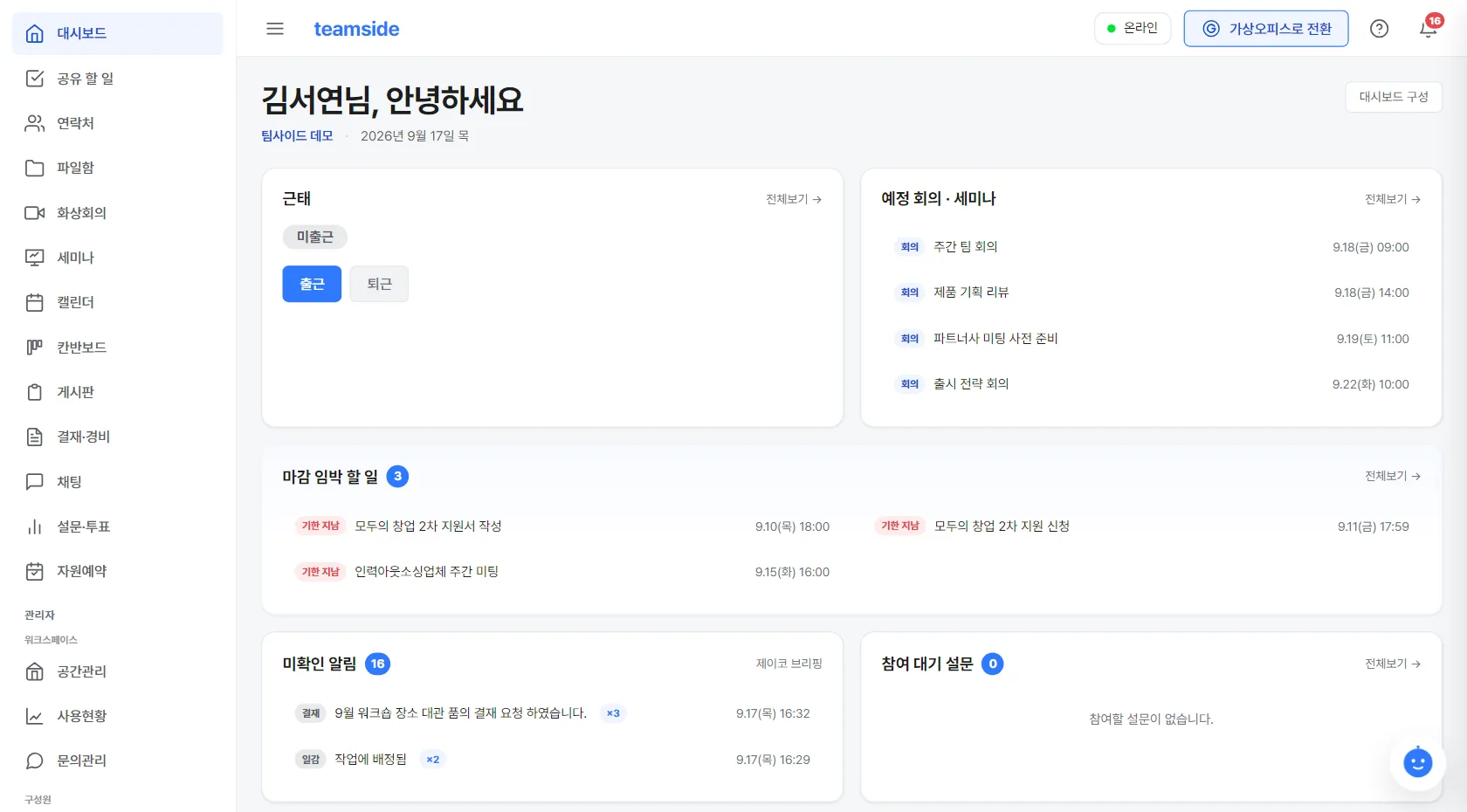
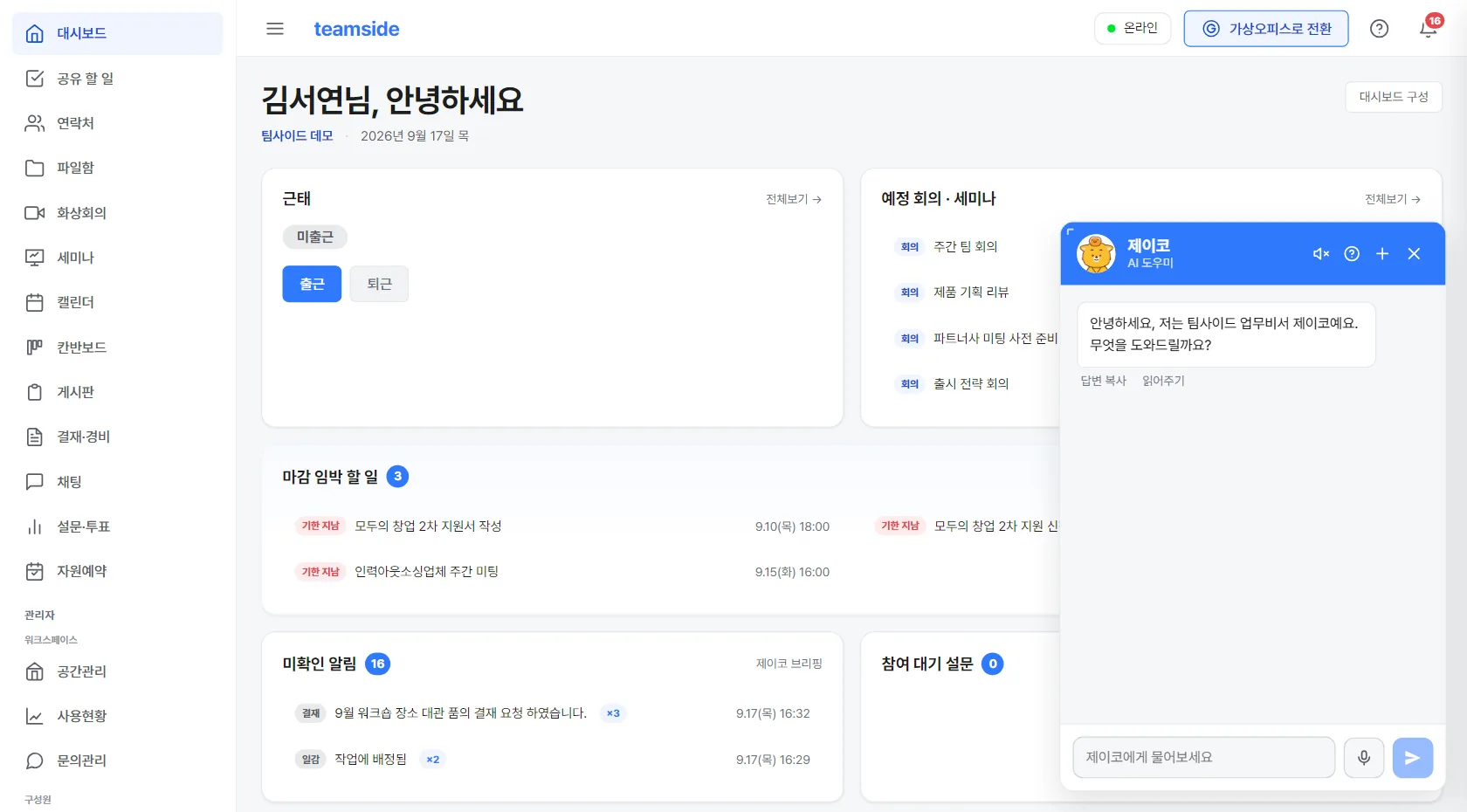
A collaboration service running since 2021 — now on your own servers
- Since 2021 The same product, developed and run for years
- Half a day to install Installed on your own servers — proven end-to-end on air-gapped networks
- Data stays in Working data does not leave the organisation
- Only what you use Pick your modules — leave the rest out
Why keep it on your own servers
For some organisations the cloud simply does not fit — because of policy, network design or contracts.
Your data stays inside
Conversations, documents and approval history are stored on your own servers. Nothing passes through an outside provider's storage, which makes review and security policy far easier to satisfy.
Works on isolated networks
We've installed and booted it, end to end, on a network with no internet access. Chat, video meetings and AI search all run on servers installed alongside it, so nothing depends on an outside service.
Headcount does not drive the bill
This is not a per-seat monthly subscription. As the organisation grows, licence cost does not scale with the number of people.
Turn on only what you use
Run chat alone, or go all the way through approvals and HR. Unused menus are removed from the interface, so new staff are not left guessing.
In the order your day actually unfolds
From clock-in to clock-out, you never switch screens.
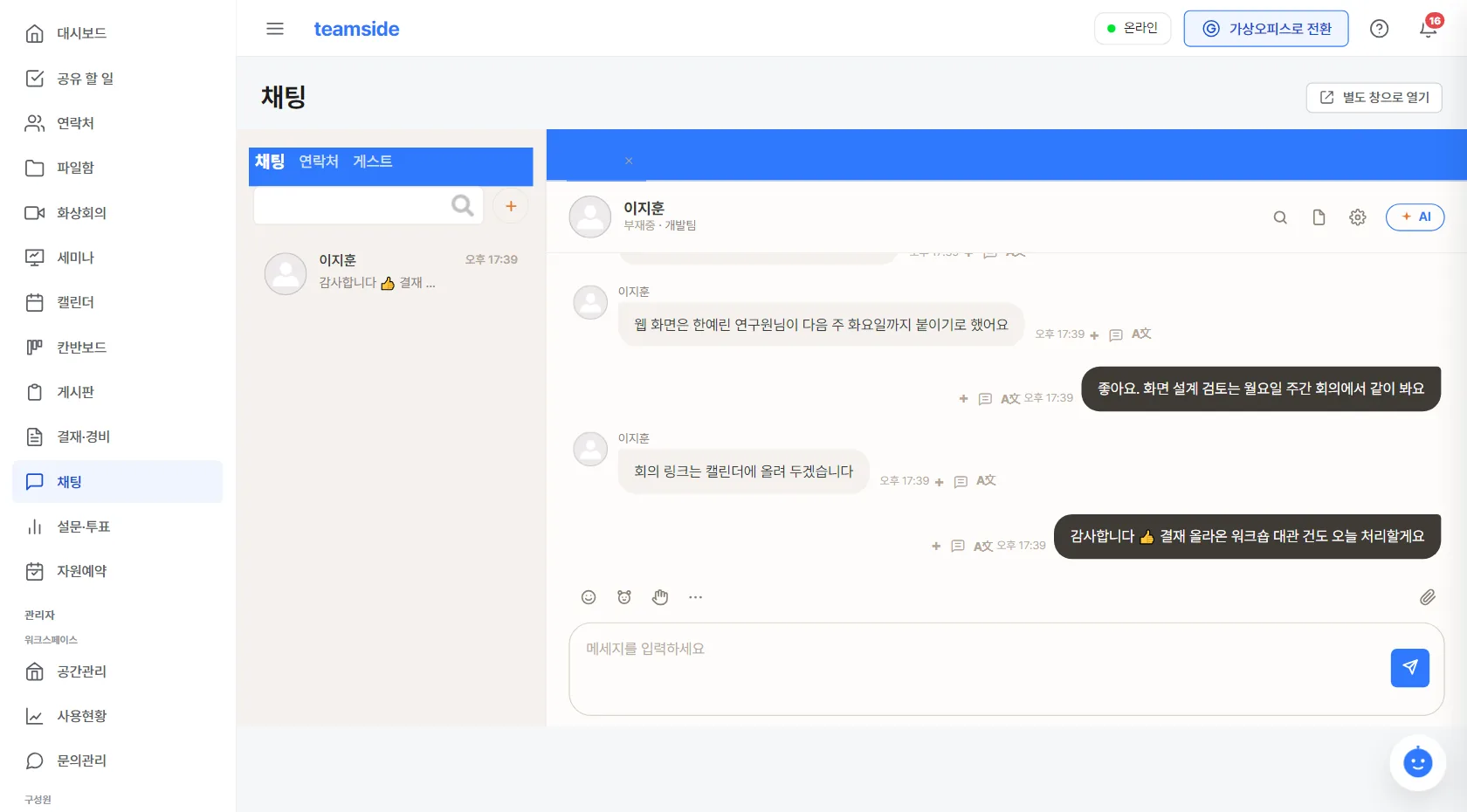
Start with a briefing — chat & messages
Collaboration module- Department channels and 1:1 messages in one place.
- Switch to a voice call in one click. The chat server runs on your own infrastructure too.
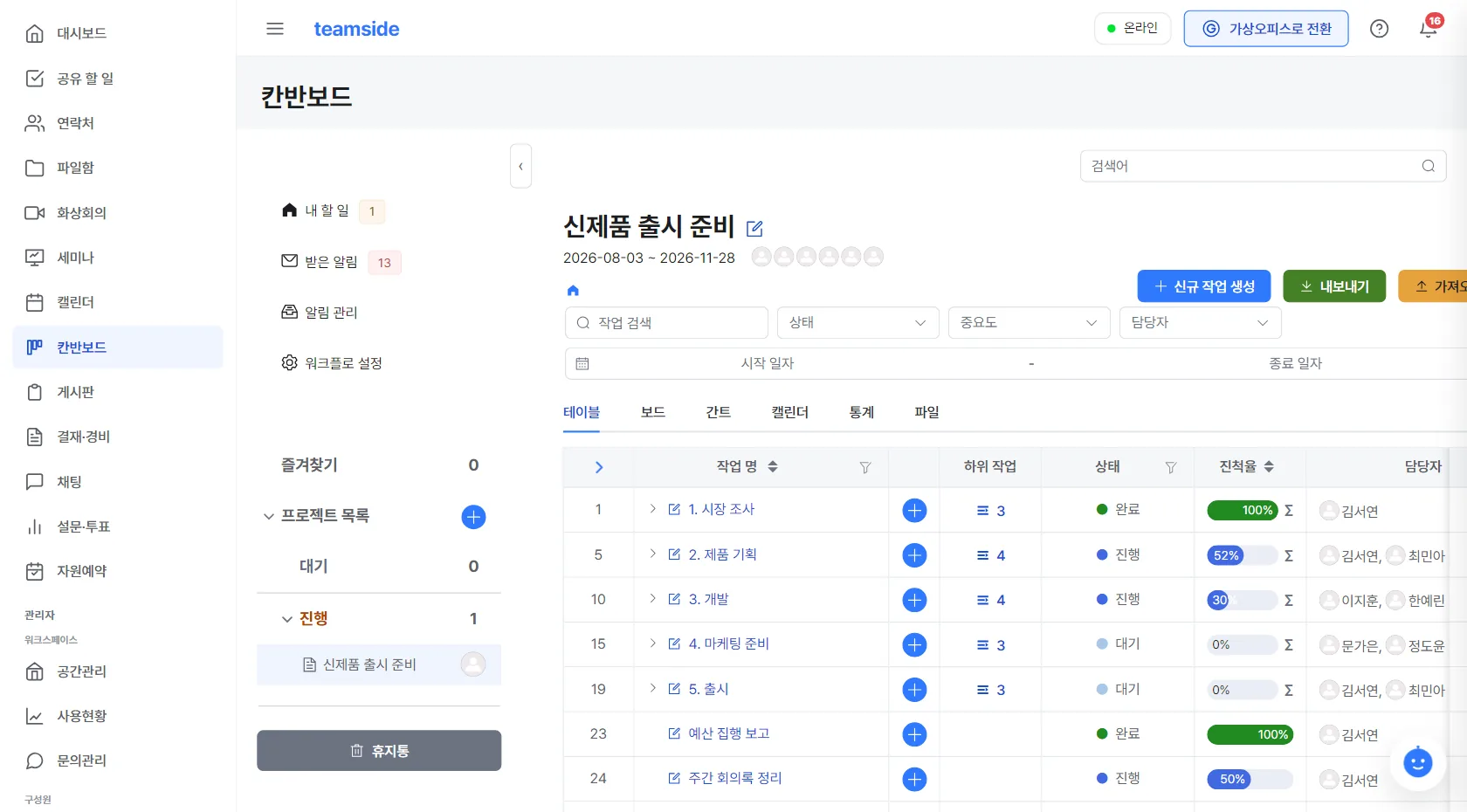
Today's work at a glance — tasks & kanban
Collaboration module- Personal and team to-dos with OKRs for shared progress.
- Linked to the calendar, so nothing is entered twice.
- Kanban, boards, calendar, surveys and room booking all come bundled in the Collaboration module.
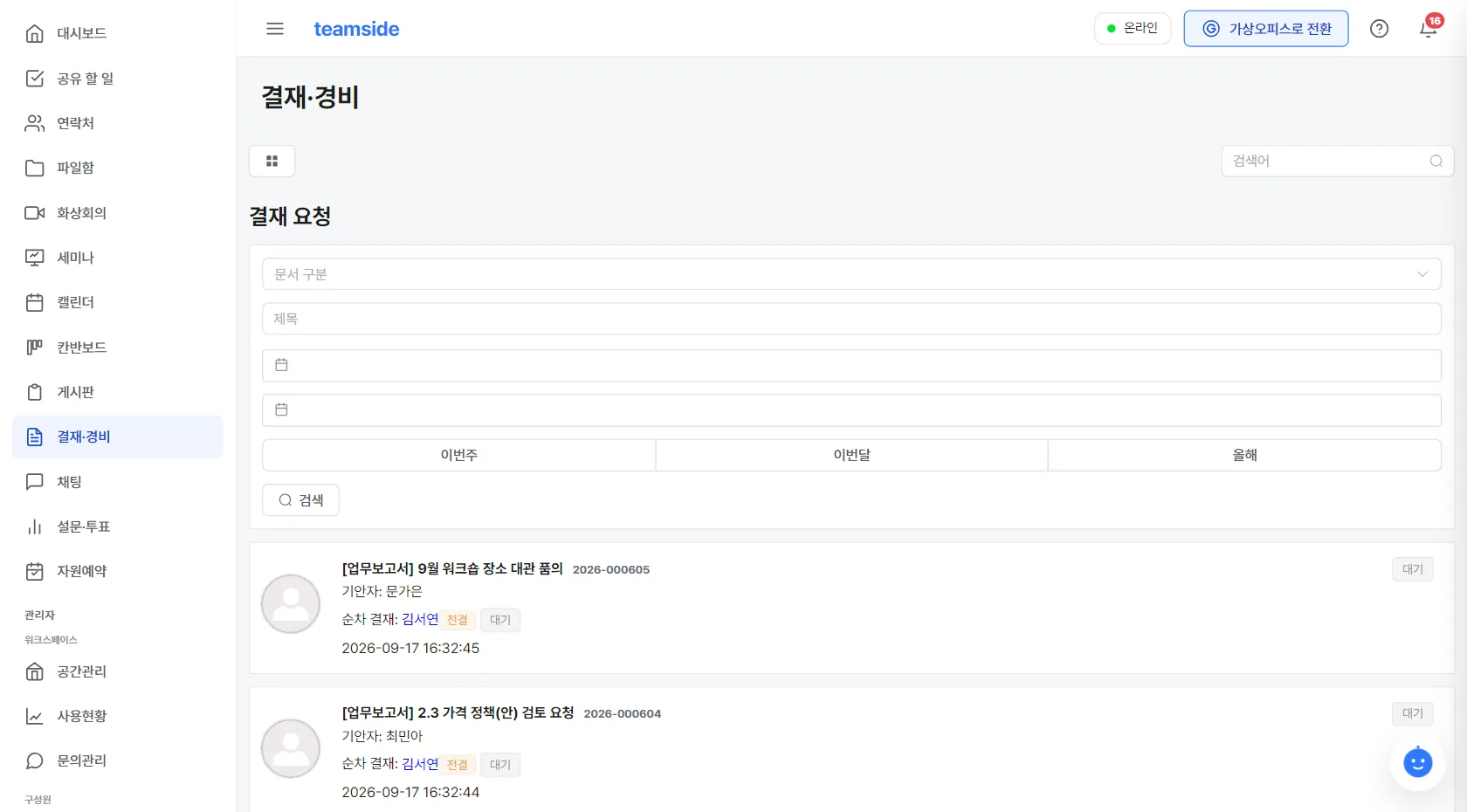
Approvals without leaving your desk
HR & attendance module- A leave request is itself an approval document — it flows straight into attendance.
- Approval notifications arrive straight in chat.
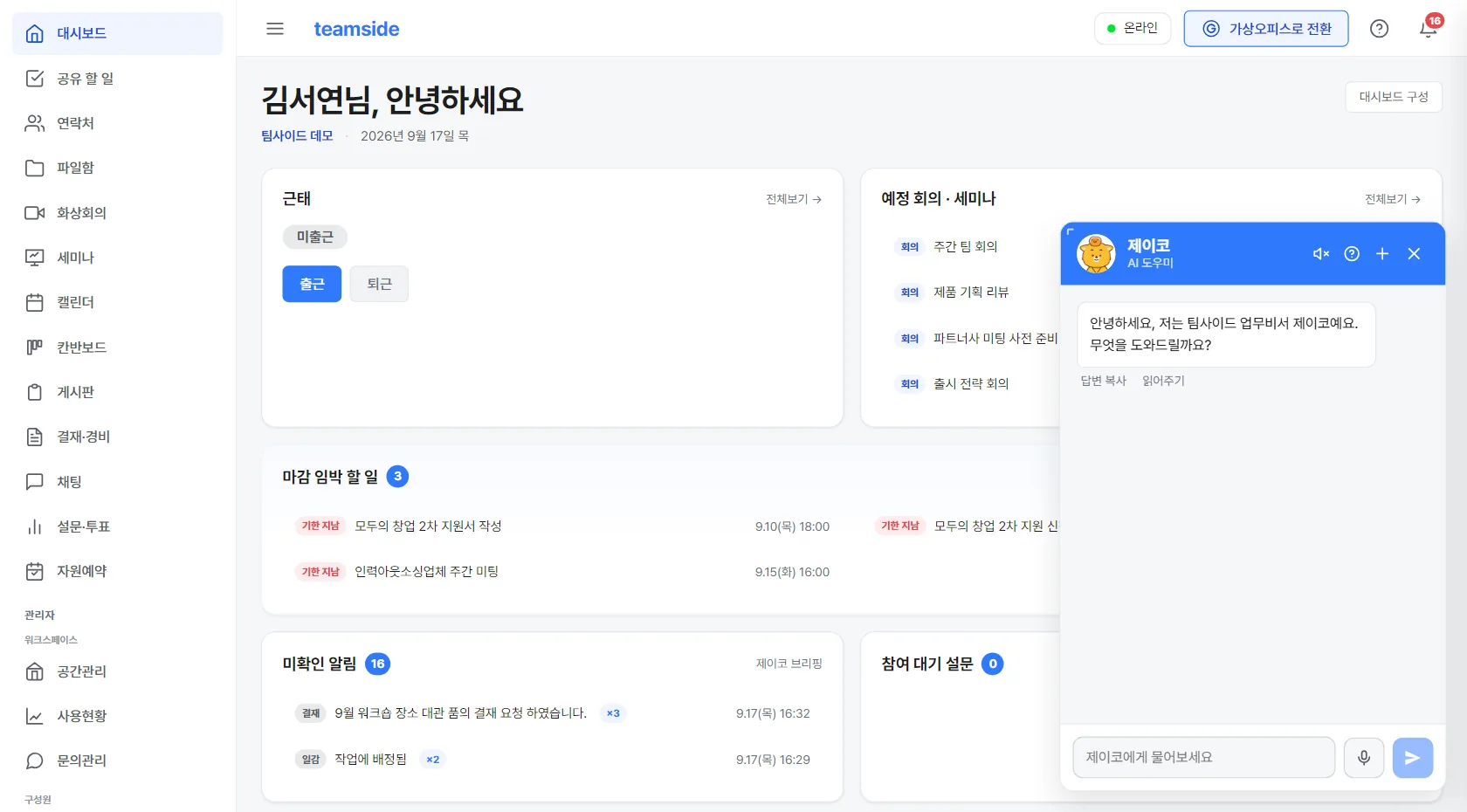
An AI assistant that answers from inside your own servers
By arrangement- Ask about an internal policy and get an answer with the source document.
- The AI model runs inside your own servers — nothing is sent to an outside AI service.
- Model choice and server specs are worked out together, sized to your deployment.
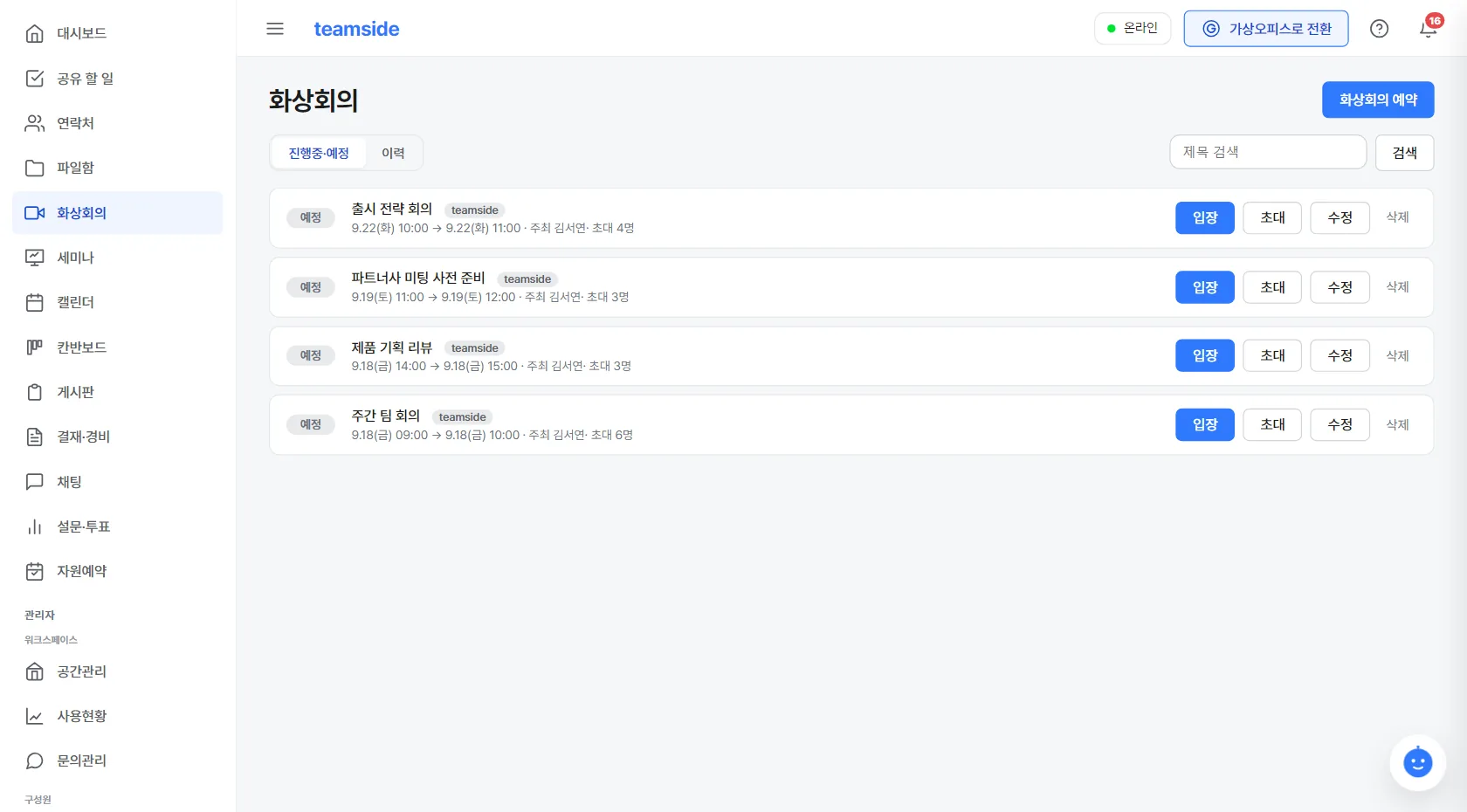
Video meetings, on-site too
Meetings module- Video meetings, webinars, screen sharing, whiteboard.
- The video server is installed alongside everything else — no separate outside video service needed.
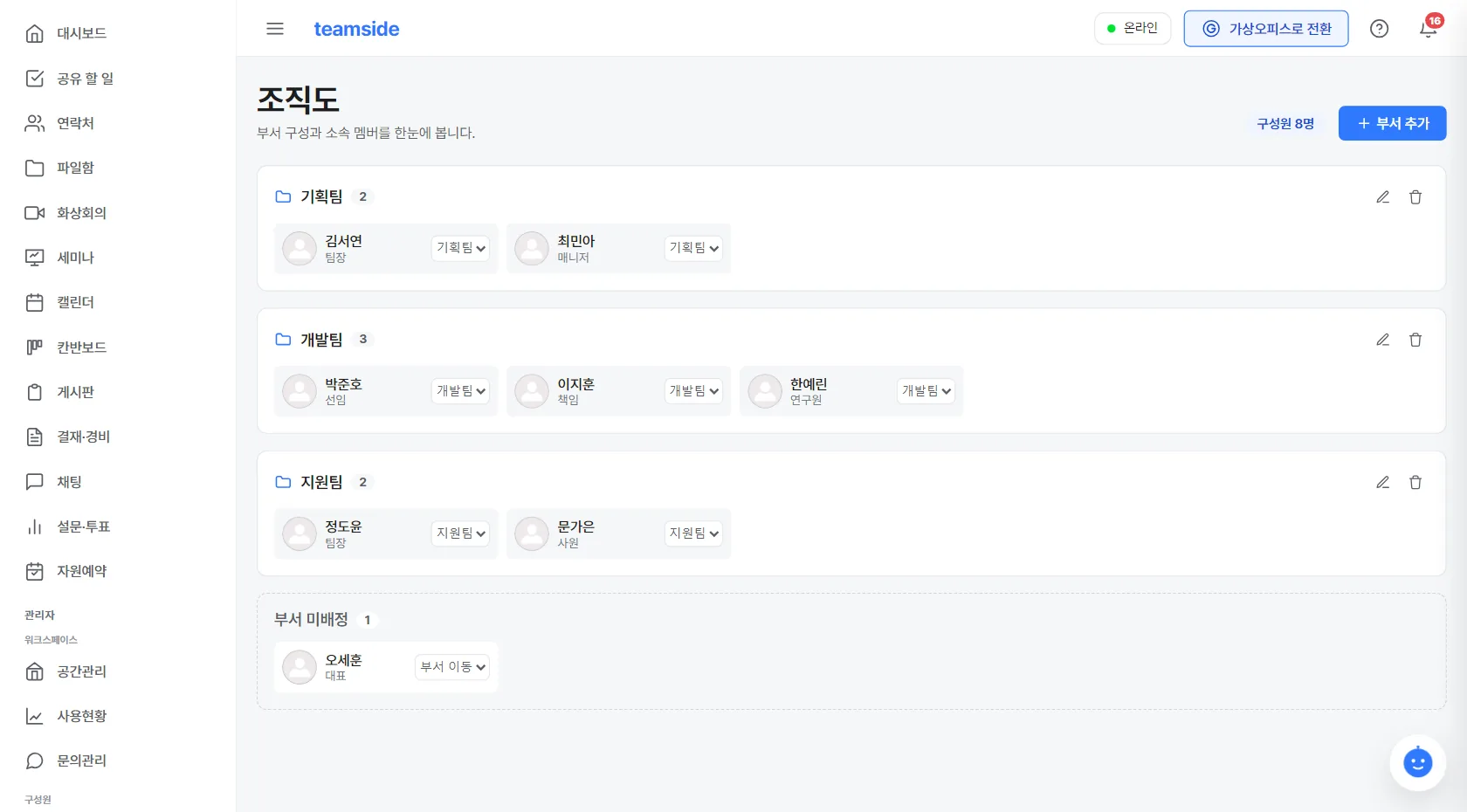
Teams and people on the same screen
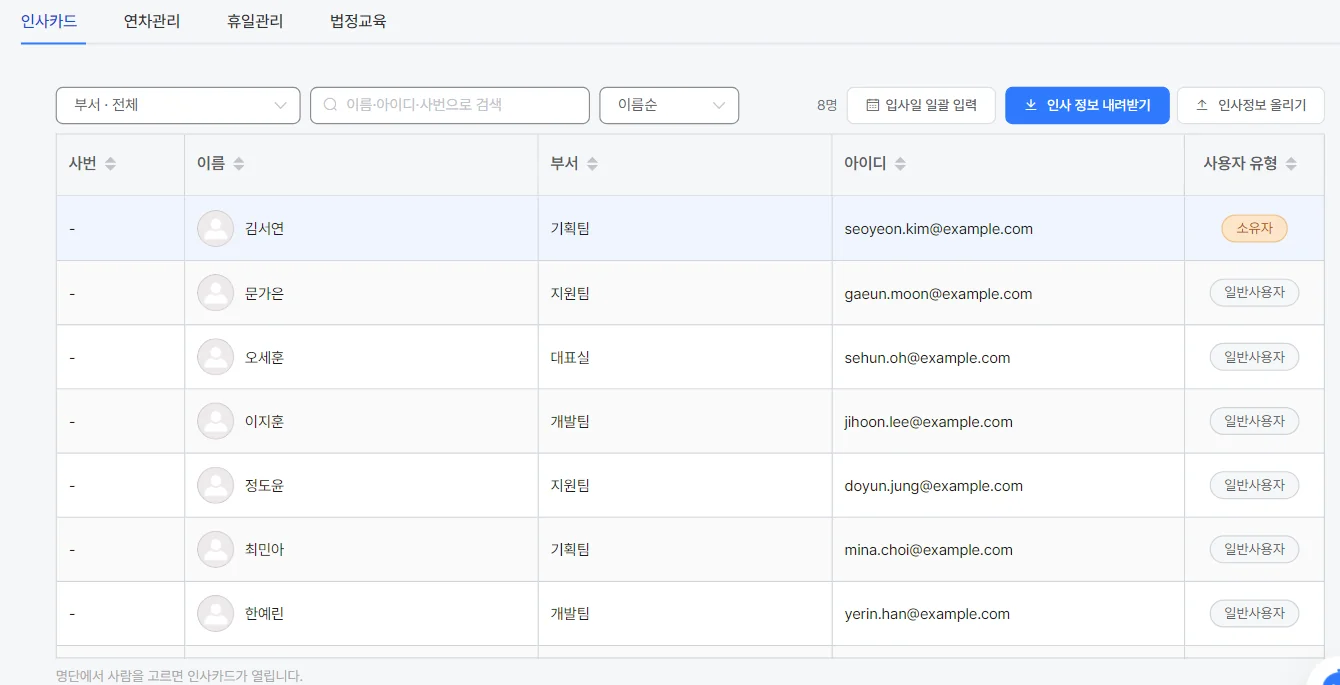
HR & attendance module- Build departments in the org chart and drag people into place.
- Employee records, leave and holidays in one place — pick a name and the card opens.
- Bundled with attendance and leave — add the payroll module and it flows through to payslips.
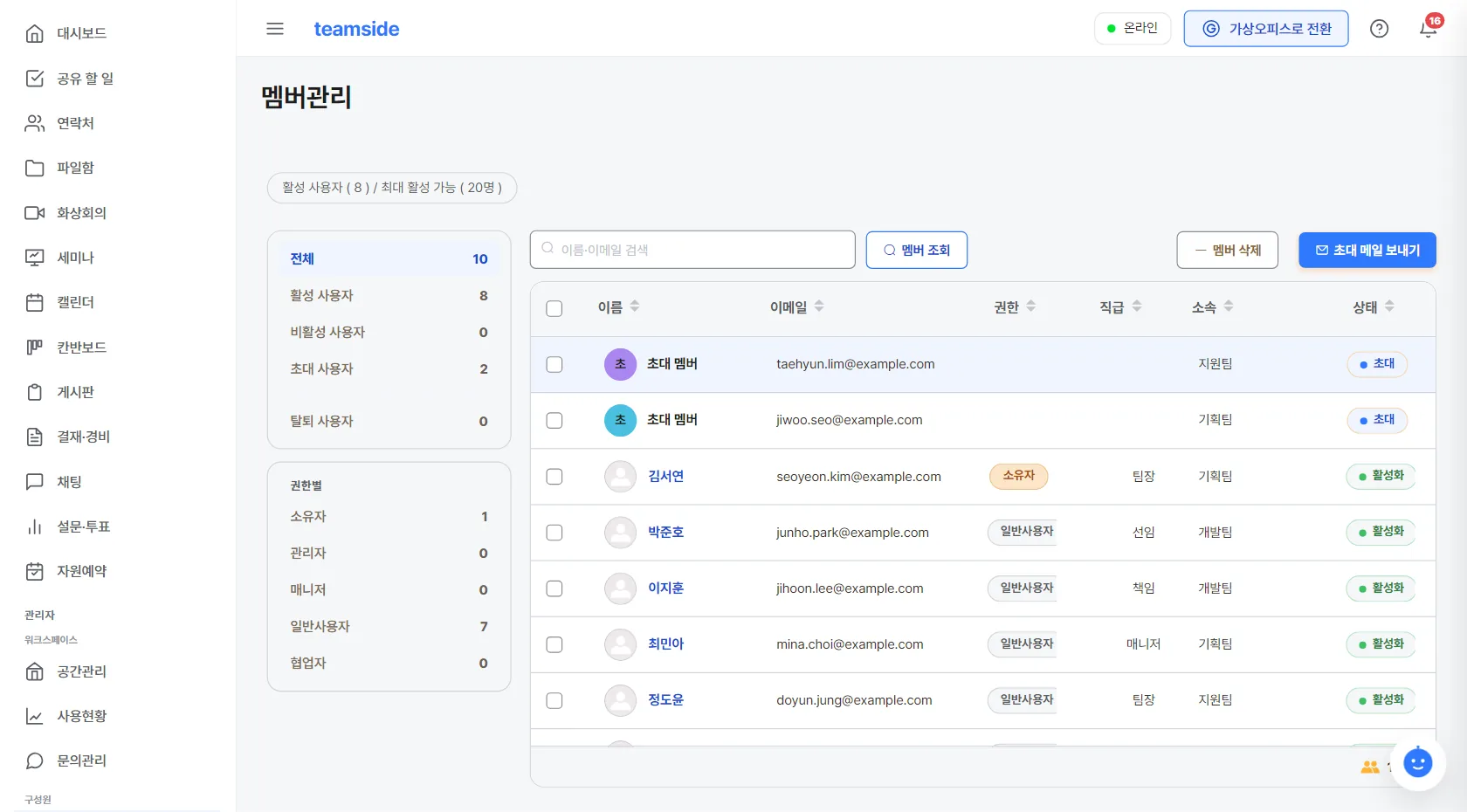
Everyone onboarded on go-live day
Included- Upload a spreadsheet (email, name, department, title) and we show you a preview before anyone is invited.
- On networks that can't send mail, download a list of one-time invite links to hand out instead.
- Everyone sets their own password — admins never distribute passwords in a file.
Same work, two views
Text when you need speed, space when you need presence. Same account, same data — only the view changes. The spatial view can be switched off at install time.
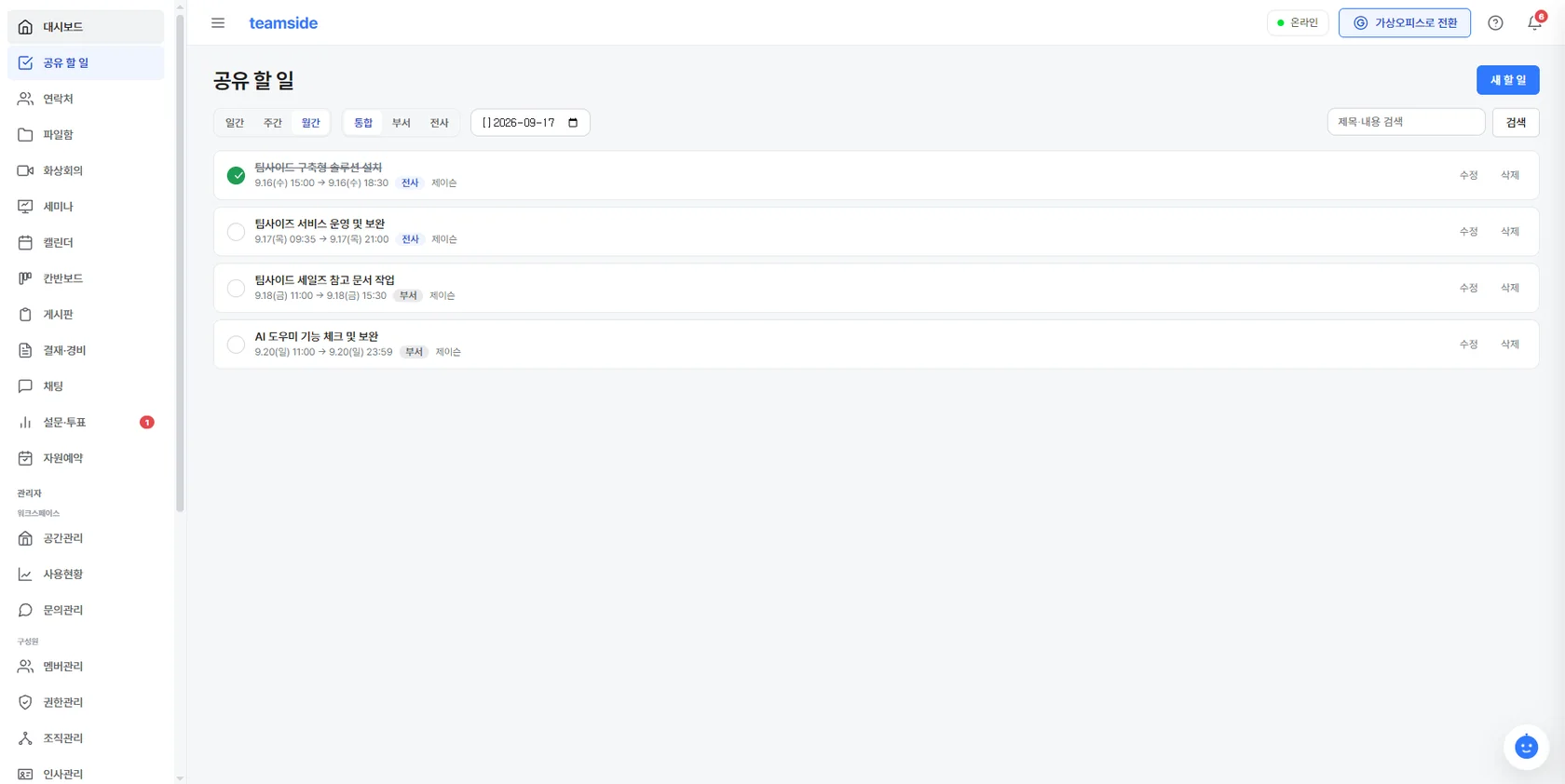
Teamside web view
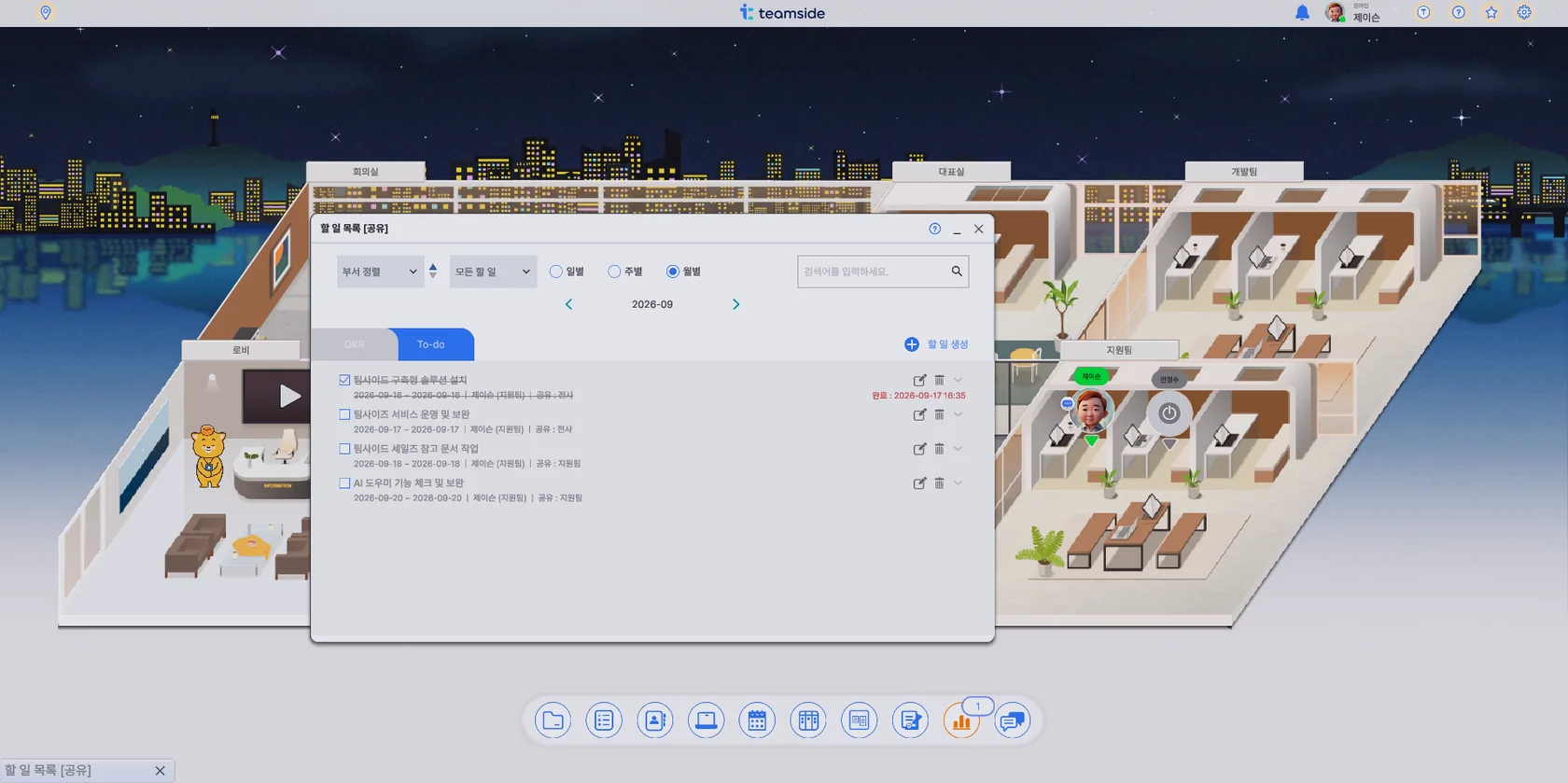
Virtual office view (optional)
Keep the tools you already use
Needs an internet connection⚠️External integrations need an internet connection. For an air-gapped installation we decide together which of these to open.
Take only what you need
You start from Core and add the modules you need on top. Cost is determined by the three things below; once the scope is agreed we send a quote.
- Required CoreBase workspace · dashboard · member invites & bulk import · enquiries · usage
- Optional CollaborationChat · kanban · boards · calendar · surveys · room booking
- Optional HR & attendanceHR records · org chart · attendance · leave · approvals
- Optional PayrollPayroll ledger · payslips (requires HR & attendance)
- Optional MeetingsVideo meetings · webinars · screen sharing · whiteboard
- Optional Virtual officeThe same work as a 2.5D spatial view
① Which features
Which of the modules above you turn on. Anything you don't enable disappears from the menu too.
② Where it is installed
On-site servers, private cloud or an isolated network. The environment changes both the scope of work and what needs preparing.
③ How much we handle
Installation, migration, training and support are agreed as a scope. Integration with your existing systems is looked at here too.
Up and running on your own server in half a day
What happens after install matters more. We built it to need less hands-on attention.
One set of 10 containers
The core app, database, cache, chat, video, notifications and AI search all come up together. Measured container start-up is 44.6 seconds; the full build takes half a day.
Less to manage
Automatic backups are configured, and any service that stops is restarted automatically. Maintenance runs remotely over an encrypted, dedicated channel — no inbound ports are opened from outside.
Updates land on a day you agree to
The screen never changes overnight without warning. We let you know about new versions and apply them on a schedule you agree to. Whatever happens on our end, the system keeps running on your own server.
Frequently asked questions
How does this relate to Joycollab?
Can it be installed on a network with no internet access?
What server specification is required?
How is the cost calculated?
Does it work on mobile?
Can we migrate our existing data?
Does the AI send our data outside?
How do updates work?
Can we see it before deciding?
Start by seeing it
Tell us about your environment and the features you need, and we will come back with a proposed scope and a time for a walkthrough.
help@gongreen.co.kr · Weekdays 09:00–18:00 (KST)